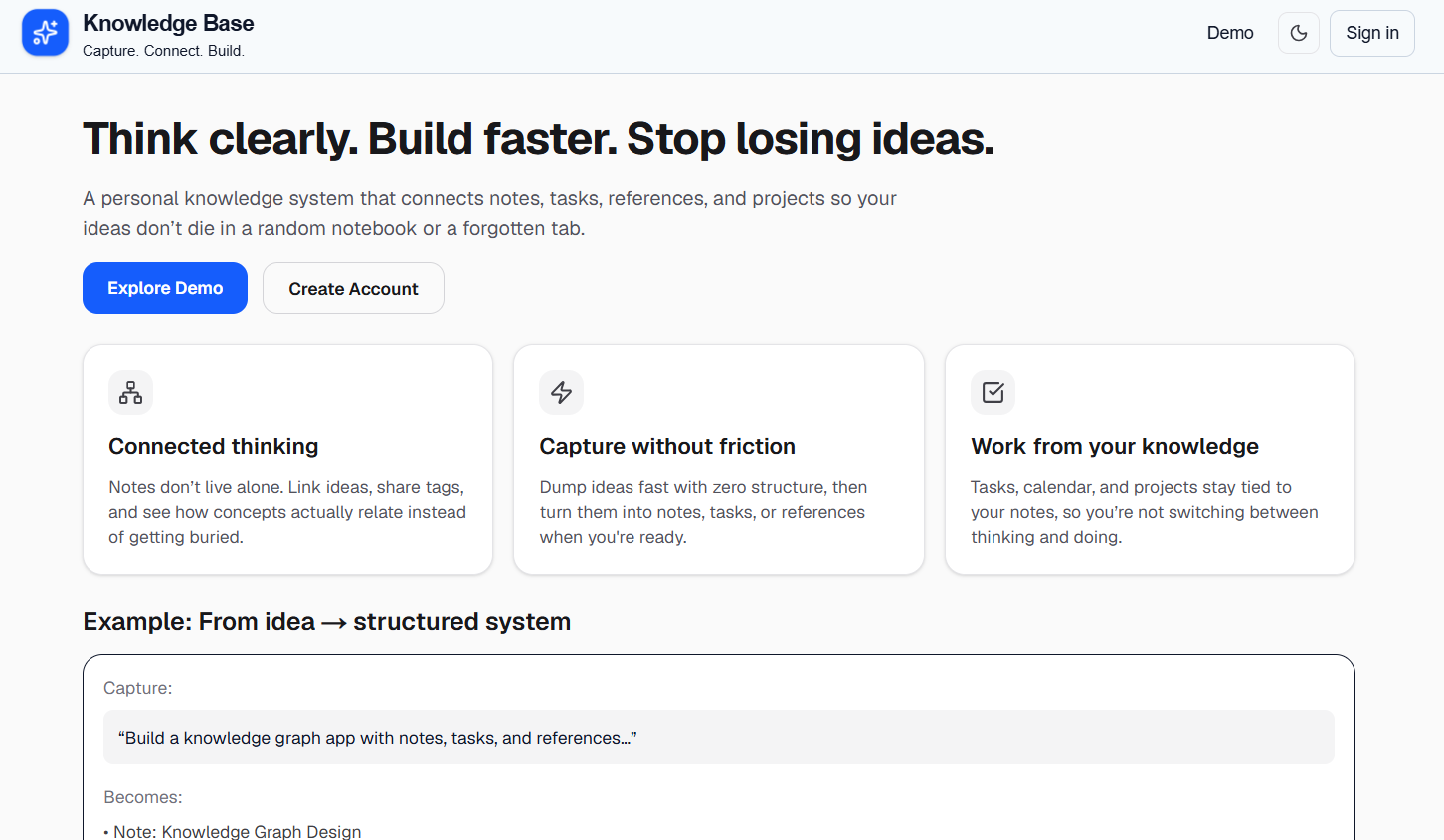
Building a Digital Knowledgebase
Diane Larsen / June 4, 2026
Building a Digital Knowledgebase
📌 Project Summary
The Digital Knowledgebase is a personal knowledge management platform inspired by the Antinet Zettelkasten methodology. The goal is to create a system where notes, references, projects, tasks, and research materials can be connected into a growing network of knowledge rather than existing as isolated documents.
Unlike traditional note-taking applications, the focus of this project is on creating meaningful relationships between ideas. Notes can reference other notes, connect to academic sources, belong to projects, and surface related information through visual links and contextual previews.
The project serves both as a personal productivity tool and as an opportunity to explore advanced software engineering concepts, including rich text editing, relational data modeling, search, UI state management, and information architecture.
🏗️ Technology Stack
Frontend
- Next.js 15
- React
- TypeScript
- Tailwind CSS
Backend
- Next.js Server Actions
- PostgreSQL
- Drizzle ORM
Editor & Content
- Tiptap Rich Text Editor
- Custom note linking extensions
- Custom tag and reference management
🎯 Project Goals
The primary goals of the system are:
- Create permanent knowledge cards that can be linked together.
- Support research workflows through references and citations.
- Organize work into projects and project workspaces.
- Provide visual navigation between related notes.
- Reduce information fragmentation by connecting ideas instead of storing them in separate folders.
- Build a system that can scale from personal notes to large research collections.
📝 Note System
The foundation of the platform is a note-based architecture.
Each note acts as an independent knowledge card that can contain:
- Rich text content
- Tags
- References
- Links to other notes
- Project associations
Notes are intentionally designed to remain small and focused, encouraging the creation of interconnected knowledge rather than large documents.
🔗 Linked Notes and Knowledge Connections
One of the core features of the system is the ability to create direct relationships between notes.
Users can:
- Link notes together within the editor
- View related notes automatically
- Navigate through connected ideas
- Preview linked notes without leaving the current context
These connections allow the knowledgebase to function more like a network of ideas than a traditional filing system.
📚 Reference Management
Research references are treated as first-class objects within the system.
Features include:
- Reference library management
- Citation tracking
- APA citation support
- Linking references directly to notes
- Reference previews and contextual access
This allows research material to remain connected to the notes that use it.
🏷️ Tag Architecture
Tags provide a second layer of organization beyond note links.
The tagging system allows users to:
- Categorize related notes
- Quickly locate connected information
- Open note collections by tag
- View relationships between topics
Tags work alongside linked notes rather than replacing them, creating multiple paths to discover information.
📂 Project Workspaces
Project Workspaces bring notes, references, and tasks together around a specific objective.
Each workspace can contain:
- Source material
- Working notes
- Completed notes
- References
- Tasks and planning information
This creates a structured environment for managing larger research or development efforts.
✨ User Experience Features
Several features were added to improve navigation and usability:
- Hover previews for linked notes
- Hover previews for references
- Hidden tag expansion menus
- Context-aware note suggestions
- Light and dark mode support
- Persistent note relationships after page refresh
- Rich text editing with custom extensions
These features help users explore connections without disrupting their workflow.
🧠 Technical Challenges
Building the Knowledgebase introduced several interesting challenges:
Rich Text Editing
Creating a custom editor experience required extending Tiptap with support for note links, references, tags, and custom highlighting behaviors.
Complex UI State
Linked notes, hover previews, pinned previews, hidden tag menus, and workspace interactions all required careful state management to prevent conflicts and unexpected behavior.
Data Relationships
The application manages relationships between notes, references, tags, projects, and tasks while maintaining performance and consistency.
Information Architecture
Designing a system that remains intuitive as the amount of stored knowledge grows required significant attention to navigation and organization.
📈 Lessons Learned
This project reinforced several important software engineering principles:
- Good data modeling simplifies future feature development.
- Information architecture is just as important as technical implementation.
- Small usability improvements can dramatically improve user experience.
- Rich text editing introduces significantly more complexity than standard forms.
- Connected data becomes exponentially more valuable as relationships increase.
🚀 Next Steps
The Knowledgebase is currently a work in progress and has not been deployed publicly yet. My next major goal is to design a hosting and deployment plan that supports authentication, persistent database storage, file handling, and future search features.
Planned next steps include:
- Evaluate deployment options for the Next.js application.
- Set up a hosted PostgreSQL database.
- Decide how to handle uploaded files and images.
- Add environment-based configuration for local and hosted development.
- Prepare the project for a public demo.
- Improve full-text search and note discovery.
- Continue refining project workspaces, linked notes, references, and tasks.
Final Thoughts
The Digital Knowledgebase is still under active development, but it has already become one of my most technically challenging projects. It combines rich text editing, relational data modeling, custom note-linking behavior, reference management, and project organization into one system.
The next phase is focused on deployment planning and making the application available as a working demo. This will give me experience with cloud hosting, database configuration, environment variables, and production-ready deployment decisions.